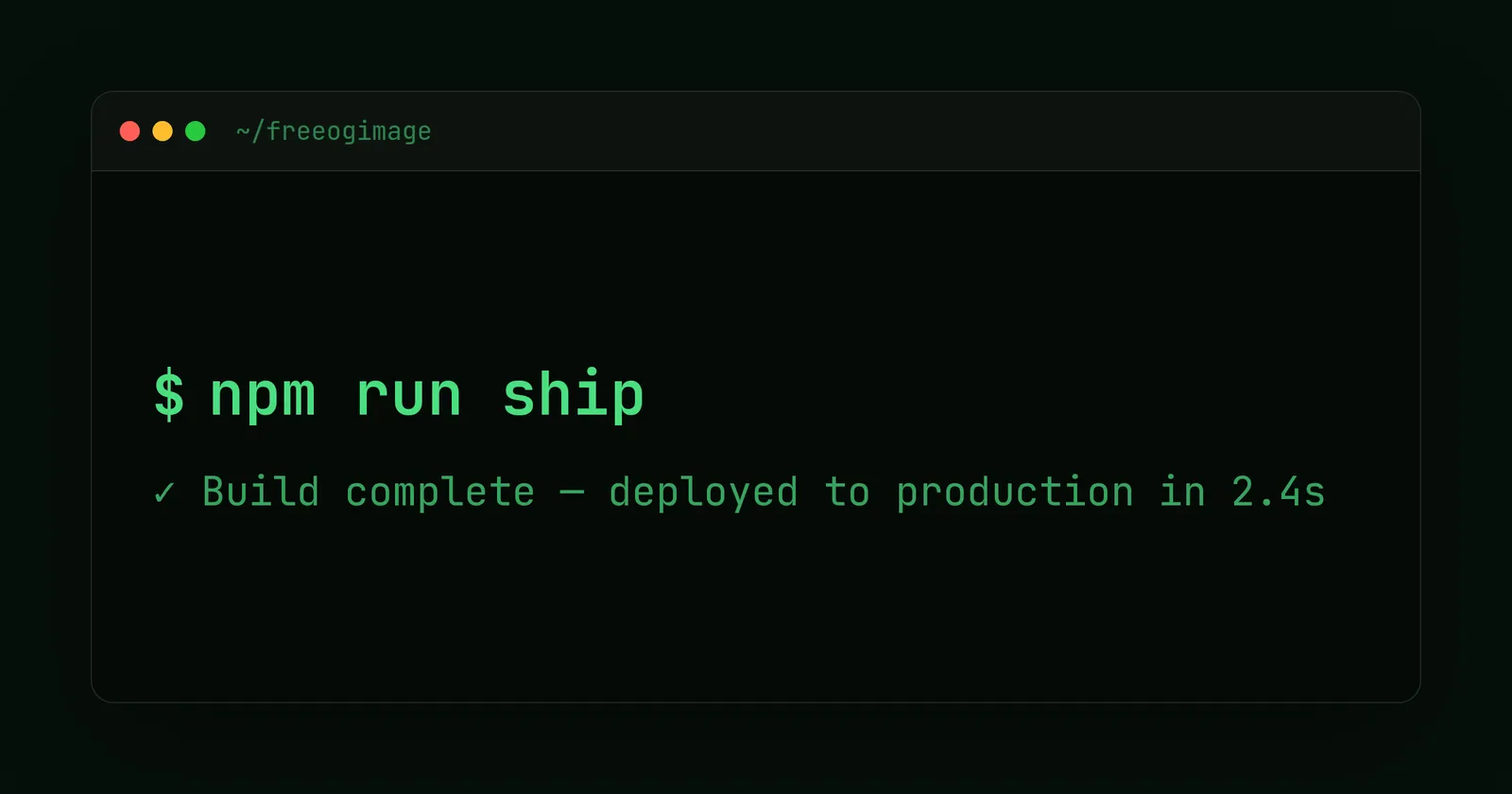
Developer template
Dark Terminal Open Graph image template
Terminal/IDE aesthetic with monospace type, window chrome, and a neon prompt.
It's built for the standard 1200×630 (1.91:1) share card and exports at 2× (2400×1260) for high-DPI screens. Customize the text, colors, fonts, and logo in your browser, then download a PNG — free, no signup, nothing uploaded.
4 ready-made presets
Each preset is a one-click starting look for the Dark Terminal template — a different color and type combination you can still fully edit.
What you can edit
The Dark Terminal template has 4 editable content fields. Recommended lengths keep your copy inside the safe area so nothing clips when the card is cropped.
| Field | Type | Max length | Example |
|---|---|---|---|
| Prompt symbol | Single line | 6 chars | $ |
| Command / Title* | Single line | 60 chars | npx create-awesome-app |
| Output / Subtitle | Multi-line | 160 chars | ✓ Ready in 0.3s |
| Window title | Single line | 28 chars | ~/projects |
* required field. Tip: keep your “Command / Title” short and punchy — the shorter the copy, the larger and more legible it renders in the feed.
Styling you control
Beyond the words, the Dark Terminal template lets you tune:
- Background color & style
- Grid & pattern overlays
- Fonts, size & alignment
- Logo placement
- Platform size switching
- Film-grain / noise
When to use it
The Dark Terminal template lives in the developer collection — developer-native cards that speak to engineers. Reach for it specifically when one of these fits:
- A CLI tool or library
- An API or docs page
- A changelog or release
- A repo, PR, or build-status card
See the full developer template collection or read OG images for developers.
More developer templates
Make your dark terminal card now
Free, private, and 100% in your browser — no signup, no watermark, nothing uploaded.
Open in the editor